



/Video%20creation/green-screen-step-4.webp)
/Business/promo-video-maker-blink-eye.webp)
/Video%20creation/video-creation-video-editing.webp)
 Built-in animations
 Background remover
 The right resolutions
 Your video, your way
 Video templates
 Done in the cloud
/Business/Adding%20video%20effects%20to%20iOS%20device%20in%20WeVideo.webp)
/Video%20creation/meme-maker-hero.webp)
/Video%20creation/add-text-video-blog-1.webp)
/Stock%20(with%20filter)/AdobeStock_316777839.webp)
Turn your ideas into videos
ONLINE VIDEO EDITOR SCREEN RECORDER GREEN SCREEN INTERACTIVE VIDEO
VIDEO TRIMMER VIDEO MERGER ADD TEXT ADD MUSIC
MOVIE MAKER YOUTUBE VIDEOS VIDEO ADS VIDEO TEMPLATES


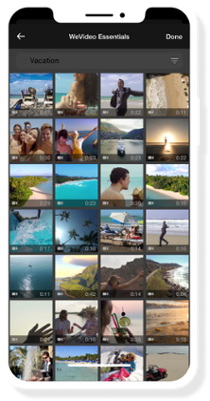
The best thing about using an app to edit video on an iPhone? You’ve already got a smartphone chock full of images and videos! Upload as many as you want to get your project started.
Even if you don’t have millions of clips stored on your device, we've got you covered. Take a picture or record a video in the iOS video editor, or select from more than 1 million stock assets instead.
Whether you’re making ads for your business, assignments for your students, or a creative project just for fun — our iPhone video editor lets you create from anywhere.
Just browse your feeds for the hottest trends, open the WeVideo iOS video editor, and quickly publish a video that’s sure to get those likes. Transitions, background music, animated text, slo-mo…it’s all ready to go, right from our iPhone video editor app!
When it comes to video, one-size-fits-all doesn’t work anymore. So when you need vertical for TikTok, square for Instagram, and horizontal for TVs and monitors, you need WeVideo!
Our iPhone video editor app lets you quickly change aspect ratios to fit all the most popular platforms. Make your video once, resize it with a few taps, and share it with the world.
Businesses, schools, influencers, creators…WeVideo's iPhone video editing app has something for everyone.
Record quick interviews of company leadership to share at the next all-hands meeting. Have your students snap clips and create their own video presentations. Stitch together a highlight reel of hilarious outtakes for your YouTube channel. It’s all easy and intuitive — no video editing experience necessary, whatsoever!
Once you’ve downloaded the iOS video editor, open it on your iPhone or iPad. Upload media from your device, or click Capture Media to start a new recording or take a new photo.
Remember: you can edit more than just one clip! Upload multiple videos or photos to our iPhone video editor to merge them into one video file.
Time to edit your video! With your media uploaded, you can make all the snazzy changes you want. Add text, stickers, frames, and effects. Speed up or slow down clips, and add music or voiceover for dramatic effect.
Whether you’re creating long videos for YouTube or short videos for TikTok, you’ll have all the tools you need to bring your creative ideas to life.
Once you’re set in our iPhone video editor app, it’s just a few taps to finished!
Choose your preferred video resolution (ranging from 480p to 4K Ultra HD) and then choose your export destination. You can save it to your device, share it to Instagram, and more.
If you've got 'em, why not take advantage of all those goofy videos on your smartphone?
Using our iPad video editor to publish on TikTok? Get tips for adding text.
Take the many photos saved to your iOS device and turn them into a slideshow with music.