



 Fast, intuitive editing
 Built-in media and audio tools
 Build your brand
 Effects, transitions, and motion
 Collaboration and cloud access
 Edit from anywhere
/Video%20creation/online-video-editor-blog-1.webp)
/Video%20creation/online-video-editor-blog-2.webp)
/Video%20creation/online-video-editor-blog-3.webp)
/Video%20creation/online-video-editor-blog-4.webp)
/Video%20creation/online-video-editor-blog-5.webp)
/Video%20creation/online-video-editor-blog-6.webp)
Turn your ideas into videos
ONLINE VIDEO EDITOR SCREEN RECORDER GREEN SCREEN INTERACTIVE VIDEO
VIDEO TRIMMER VIDEO MERGER ADD TEXT ADD MUSIC
MOVIE MAKER YOUTUBE VIDEOS VIDEO ADS VIDEO TEMPLATES




Make your own videos in minutes with our browser-based online video editor for creators and teams. No downloads needed. Video ads, social media assets, and product demos? Yes. Literally anything else? Also yes.







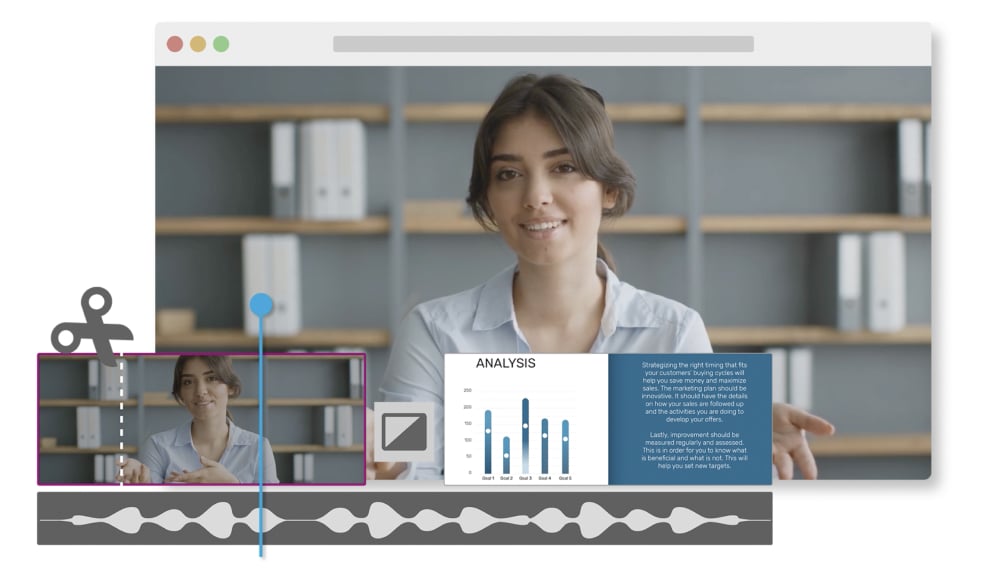
Start a new project from scratch or select one of our ready-to-go templates. Upload your video (or choose from the built-in stock library), then drag video clips onto your Timeline to begin video editing.
Your video autosaves in our cloud storage for fast access. Download in 720p all the way to 4K! Or share directly to social.
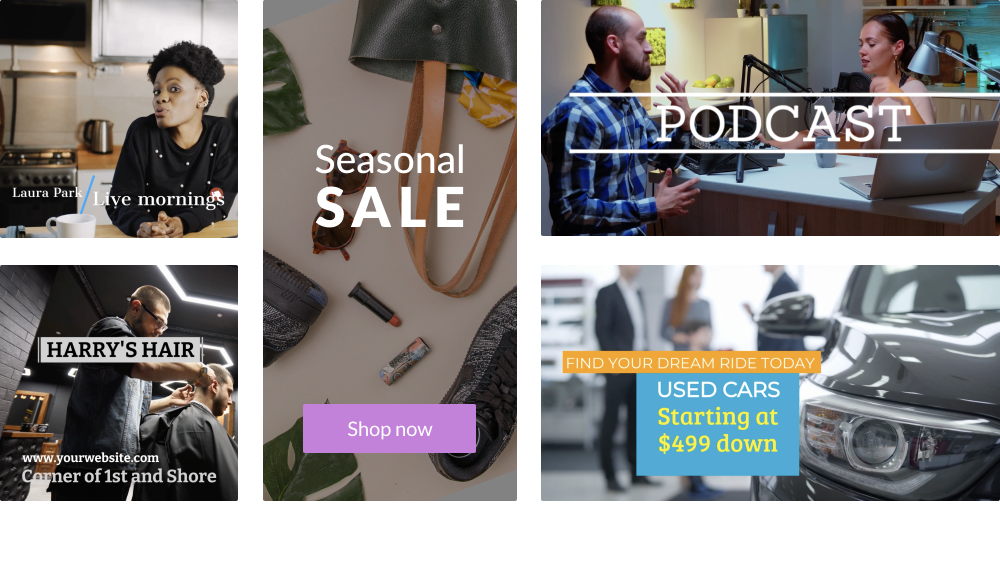
Why build from zero when you've got everything you need right here? Create quicker and add your personal flair to:
Quickly make scroll-stopping videos for popular platforms like YouTube and TikTok.
Turn static ads into dynamic video ads, product demos, and explainer videos.
Impress audiences with polished video presentations or tutorials that save you time and drive outcomes.
Easier workflows? Coming right up. WeVideo's suite of AI-powered tools, AI Assist, helps you save time without sacrificing quality content.
Use the Automatic Subtitle Generator for better accessibility, and deliver crystal-clear audio with our one-click Background Noise Reducer.
"WeVideo gives us the ability to scale our video offerings without extensive staff training or design experience. For example, a social media manager is empowered to create simple videos using the templates we establish in the system, and this allows more people within the agency to be video creators."

David Tisdale Marketing Director, Vx Group
"As an avid content creator, I have tried numerous video editing tools, but none have come close to the versatility, user-friendliness, and feature-richness that WeVideo offers. A standout feature of WeVideo is its collaborative capabilities. WeVideo's real-time collaboration feature allows multiple users to edit a project simultaneously. This collaborative environment promotes seamless communication, enhances productivity, and streamlines the entire editing workflow."

Zita Joyce Primary Years Program Coordinator, Stonehill International School
"We needed a tool that would be straightforward and suit everyone, regardless of their technical expertise or hardware. The biggest benefit we’ve seen implementing WeVideo is now hundreds of reporters are editing video that previously were unable to. By expanding our video production capabilities even further, we hope to grow our 50% share of digital news subscriptions of Norwegian households."

Tord Selmer-Nedrelid Head of Video & Audio Development at Amedia
"The video content I’ve created with WeVideo has added credibility to my work and has helped me scale my business. It has completely freed up my time so that I’m able to take on more. I went from having the capacity to service five clients at one time to 25 clients."

Cara Heilman CEO of Ready Reset Go
"I teach with projects, and WeVideo is an excellent platform for students to work collaboratively on video projects. While most teens have some ideas about video from their cell phones, [WeVideo] takes their creativity and skills to a whole new level, allowing them to find their voice in new and exciting ways."

Peter De Lisle Academic Director, Inanda Seminary
Learn how to add tunes to your videos.
Level up your editing powers with these popular transitions.
A crash course on standard definition vs. high definition.
Discover three ways our video editing software lets you adjust audio.
Out of video marketing ideas? Start here.
One part zoom, one part animation, two parts engaging content.